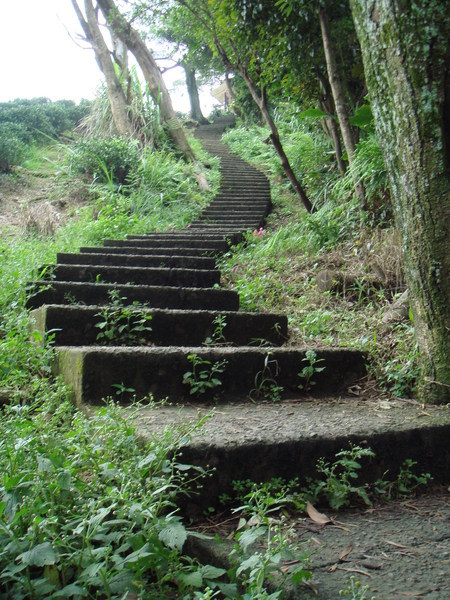
勞動節這天,因為放假,又剛好是 油桐花季節,
就到土城賞油桐花,
有朋友問這是數位單眼拍的嗎?
其實這是用普通的DC拍的... 真的!
1.階梯
1) 下載最新的JK2 http://www.apache.org/dist/jakarta/tomcat-connectors/jk2/jakarta-tomcat-connectors-jk2-src-current.tar.gz
2)安裝 JK2 模組:
# cd /home/myhome/software/
# tar zxvf jakarta-tomcat-connectors-jk2-src-current.tar.gz
# cd jk2/jk/native2
# ./buildconf.sh
# ./configure --with-apxs2=/usr/local/apache/bin/apxs
# make
# make install
# cp /home/myhome/software/jakarta-tomcat-connectors-jk2-2.0.4-src/jk/build/jk2/apache2/mod_jk2.so /usr/local/apache/modules
3) 把mod_jk2加入 httpd.conf中
# vi /usr/local/apache/conf/httpd.conf
LoadModule jk2_module modules/mod_jk2.so
4) vi /usr/local/tomcat/conf/jk2.properties
把原有位置的相關檔換成下面這些:
# list of needed handlers.
handler.list=channelSocket,request
# Override the default port for the channelSocket
channelSocket.port=8009
5) vi /usr/local/apache/conf/workers2.properties
這個是設定檔,
請參考著修改:
# only at beginnin. In production uncomment it out
[logger.apache2]
level=DEBUG
[shm]
file=/usr/local/apache/logs/shm.file
size=1048576
# Example socket channel, override port and host.
[channel.socket:localhost:8009]
port=8009
host=127.0.0.1
# define the worker
[ajp13:localhost:8009]
channel=channel.socket:localhost:8009
# Uri mapping
[uri:127.0.0.1/*.jsp]
worker=ajp13:localhost:8009
[uri:myip.ip.com/*.jsp]
worker=ajp13:localhost:8009
6) vi /usr/local/apache/conf/httpd.conf 虛擬主機配置部分
#…………
#不相關的部分已經省略
NameVirtualHost *:80
<VirtualHost *:80>
ServerAdmin myemil@test.mail.com
DocumentRoot /home/myhome/tomcat_web
ServerName www.myip.org
ErrorLog logs/myweb-error_log
CustomLog logs/myweb-access_log common
Options None
</VirtualHost>
7) server.xml 的設定
# vi /usr/local/tomcat/conf/server.xml 的設定
<Server port="8005" shutdown="SHUTDOWN" debug="0">
<Listener className="org.apache.catalina.mbeans.ServerLifecycleListener"
debug="0"/>
<Listener className="org.apache.catalina.mbeans.GlobalResourcesLifecycleListener"
debug="0"/>
<!-- Global JNDI resources -->
<GlobalNamingResources>
<!-- Test entry for demonstration purposes -->
<Environment name="simpleValue" type="java.lang.Integer" value="30"/>
<!-- Editable user database that can also be used by
UserDatabaseRealm to authenticate users -->
<Resource name="UserDatabase" auth="Container"
type="org.apache.catalina.UserDatabase"
description="User database that can be updated and saved">
</Resource>
<ResourceParams name="UserDatabase">
<parameter>
<name>factory</name>
<value>org.apache.catalina.users.MemoryUserDatabaseFactory</value>;
</parameter>
<parameter>
<name>pathname</name>;
<value>conf/tomcat-users.xml</value>
</parameter>
</ResourceParams>
</GlobalNamingResources>
<Service name="Catalina">
<!-- Define a non-SSL Coyote HTTP/1.1 Connector on port 8080 -->;
<Connector port="8080"
maxThreads="150" minSpareThreads="25" maxSpareThreads="75"
enableLookups="false" redirectPort="8443" acceptCount="100"
debug="0" connectionTimeout="20000"
disableUploadTimeout="true" />
<!-- Define a Coyote/JK2 AJP 1.3 Connector on port 8009 -->
<Connector port="8009"
enableLookups="false" redirectPort="8443" debug="0"
protocol="AJP/1.3" />
<!-- Define the top level container in our container hierarchy -->
<Engine name="Catalina" defaultHost="localhost" debug="0">
<!-- Global logger unless overridden at lower levels -->
<Logger className="org.apache.catalina.logger.FileLogger"
prefix="catalina_log." suffix=".txt"
timestamp="true"/>
<!-- Because this Realm is here, an instance will be shared globally -->
<!-- This Realm uses the UserDatabase configured in the global JNDI
resources under the key "UserDatabase". Any edits
that are performed against this UserDatabase are immediately
available for use by the Realm. -->
<Realm className="org.apache.catalina.realm.UserDatabaseRealm"
debug="0" resourceName="UserDatabase"/>
<Host name="localhost" debug="0" appBase="webapps"
unpackWARs="true" autoDeploy="true"
xmlValidation="false" xmlNamespaceAware="false">
<Logger className="org.apache.catalina.logger.FileLogger"
directory="logs" prefix="localhost_log." suffix=".txt"
timestamp="true"/>
<!-- Tomcat Root Context -->
<!--
<Context path="" docBase="ROOT" debug="0">
-->
</Host>
<Host name="hsinichi.no-ip.org" debug="0" appBase="webapps"
unpackWARs="true" autoDeploy="true"
xmlValidation="false" xmlNamespaceAware="false">
<Logger className="org.apache.catalina.logger.FileLogger"
directory="logs" prefix="lawcn_log." suffix=".txt"
timestamp="true"/>
<Context path="" docBase="lawcn" debug="0" />
</Host>
</Engine>
</Service>
</Server>
====================================================
----------tomcat 4.1.31 VirtualHost 設法---------------
#mkdir -p /home/myhome/tomcat_web/
#mkdir -p /home/myhome/tomcat_web/logs
#vi server.xml
<Host name="hsinichi.no-ip.org" appBase="/home/myhome/tomcat_web" unpackWARs="true" autoDeploy="true">
<Logger className="org.apache.catalina.logger.FileLogger"
directory="/home/myhome/tomcat_web/logs" prefix="web_log." suffix=".txt"
timestamp="true"/>
<Context path="" docBase="."/>
</Host>
